IT support in New York, NY helps businesses keep computers, accounts, applications and networks working while organizing maintenance, security and technology improvements. Business technology support extends that work to collaboration tools, websites, integrations and suitable automation, with responsibilities defined around how the company operates.
For a business owner, the practical question is straightforward: who takes responsibility when technology interrupts work, and what happens next? A slow laptop, missing document or interrupted connection needs a clear route to resolution. Recurring problems also need a plan that goes beyond the latest support request.
TechTrek IT Solutions provides business technology services for New York City organizations, including ongoing IT support, Microsoft 365, networking, cybersecurity, web development and AI automation. This guide explains how those services fit together, what to consider when comparing support options and how to prepare for a useful consultation. Managed IT Services & Support NYC
The goal is to match support to your users, systems and priorities so that everyday assistance and longer-term improvements follow the same practical plan.
What business IT Support in New York NY should cover
Business IT support starts with the technology employees use to do their jobs. Depending on the agreed scope, that can include troubleshooting devices, managing accounts, maintaining applications, reviewing connectivity and coordinating with software or internet providers.
Managed IT services add an ongoing framework for agreed maintenance, monitoring and administration. Project work addresses a defined change, such as an office network upgrade or application migration. Co-managed arrangements divide responsibilities between an internal team and an external provider.
These approaches can overlap. A company might need ongoing user support alongside a separately scoped website project. Comparing the responsibilities behind each proposal is more useful than comparing package names alone.
| Support approach | When it may fit | Responsibility to clarify |
| On-demand support | An isolated problem or occasional assistance | Availability, billing and follow-up |
| Managed IT services | Recurring support and planned maintenance | Included systems, monitoring and service hours |
| Co-managed support | An internal team needs additional capacity | Ownership, escalation and access boundaries |
| Project support | A defined upgrade, migration or implementation | Deliverables, testing and support after handover |
Explore TechTrek’s managed IT services when your business needs a coordinated approach to ongoing technology management.
Signs your current support setup needs attention
An individual technical problem does not always require a new provider or a major upgrade. Patterns across employees and systems, however, can indicate that your support arrangements need review.
- The same problems keep returning. Employees repeatedly restart devices, reconnect printers or repeat temporary fixes without understanding the underlying cause.
- Support ownership is unclear. Staff contact different vendors, while no one coordinates diagnosis, follow-up and communication.
- Account changes are inconsistent. New starters wait for access, departing users retain permissions or shared resources lack a clear owner.
- Maintenance information is missing. Nobody can readily explain which devices need replacement or when recovery was last tested.
- Routine work involves repeated copying. Employees transfer the same information between emails, spreadsheets and business applications every day.
Documenting these patterns gives a prospective provider something concrete to investigate. It also helps distinguish an urgent repair from a broader improvement project.
The services behind a coordinated technology plan
Help desk and everyday technical support
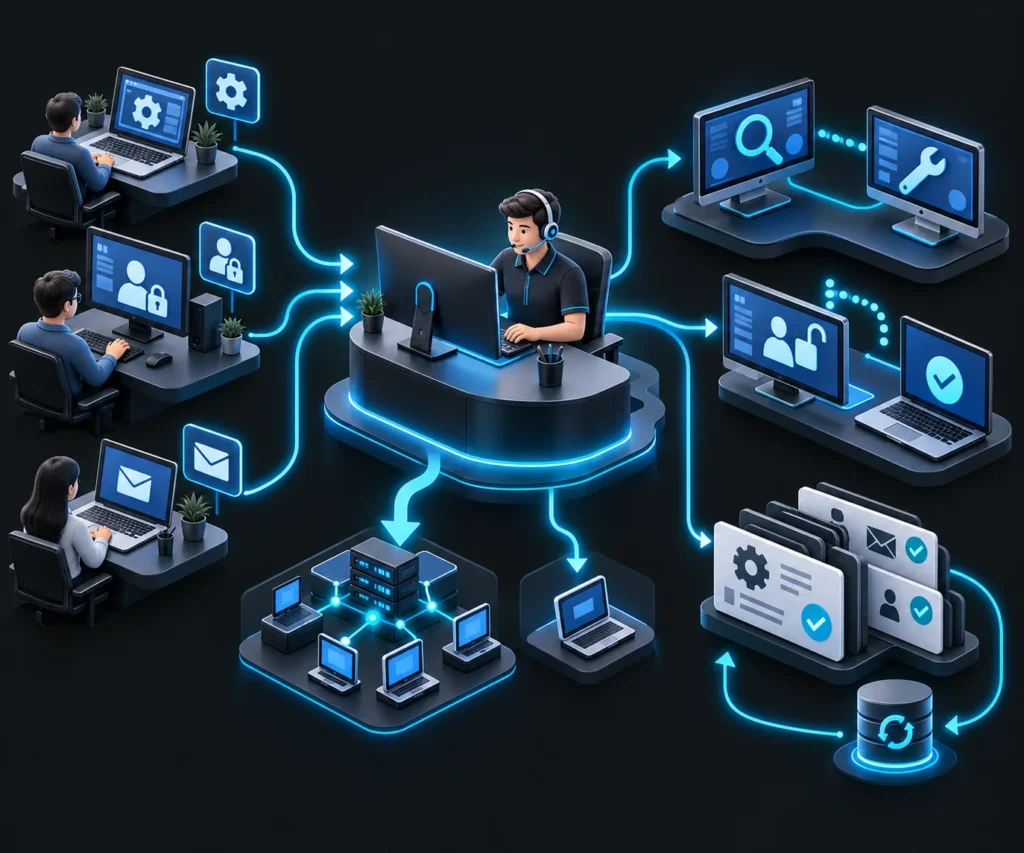
A help desk gives employees a defined place to report computer, application and account issues. Useful reports explain what stopped working, who is affected, when the problem began and whether the employee can continue essential tasks.
TechTrek’s IT help desk and technical support covers areas such as troubleshooting, remote assistance, account access, email and business applications. The appropriate response depends on the issue and agreed coverage. TechTrek IT Solutions
Ask how requests are recorded and escalated. A complete office outage and a single application question require different priorities. Recording the diagnosis and outcome also makes repeat incidents easier to recognize and review.
Device management and asset visibility
Laptops and desktops need attention throughout their working life, from setup and assignment to maintenance and retirement. A device record should make its owner, business purpose and support status easy to understand.
Device and endpoint management supports the administration of business devices. IT asset management adds visibility into the equipment and technology resources the organization owns.
For a growing team, this information supports practical decisions. Managers can plan replacements, identify unassigned equipment and prepare devices before someone starts work. It also reduces dependence on one employee’s memory of how the environment was assembled.
Microsoft 365 administration and collaboration
Microsoft 365 support involves more than installing Office applications. Employees also depend on mailbox access, Teams meetings, shared files, appropriate permissions and license assignments that match their roles.
TechTrek provides Microsoft 365 management in New York, NY, covering administration, collaboration tools, account access and ongoing support. A review can connect reported problems with the settings and responsibilities behind them. Managed IT Services & Support
For example, a shared mailbox issue may involve permissions rather than a faulty computer. A departed employee’s account may require coordinated decisions about access, business records and license reassignment. Microsoft explains that multifactor authentication adds another verification method to sign-ins; its configuration should fit the organization’s environment and available licensing.
Network and infrastructure management
Connectivity problems require diagnosis across the connection path. Symptoms may involve the internet service, wireless coverage, network equipment, device settings or the application being accessed. Purchasing more bandwidth before identifying the bottleneck may leave the original issue unresolved.
TechTrek’s network and infrastructure management includes services relating to network performance, wired and wireless connectivity, firewalls and infrastructure administration. TechTrek IT Solutions
For a New York office move or expansion, discuss the premises early. Building access, cabling arrangements, equipment placement and internet installation can affect the implementation plan. Agree who coordinates each dependency and how the business will verify that important workflows operate after the change.
Cybersecurity and access protection
Cybersecurity decisions should reflect which information the business holds, how employees access it and what an interruption would affect. Account controls, device protection, updates and incident reporting need clear ownership.
TechTrek’s cybersecurity and IT security services cover areas including endpoint protection, network security, identity, data protection and risk management. The applicable tools and controls depend on the environment and agreed scope. Managed IT Services & Support
CISA’s small-business guidance recommends measures including multifactor authentication and regularly tested backups. Turn those principles into specific questions: which accounts are covered, who reviews alerts and how should an employee report suspicious activity? Written responsibilities help make security part of normal operations.
Backup and recovery planning
A backup discussion should establish what can be restored, which time periods are available and who will carry out recovery. Business owners should also explain how much interruption and lost work they could reasonably tolerate.
Microsoft’s Microsoft 365 Backup guidance distinguishes service disaster recovery, file versions and backup restoration. Those capabilities serve different recovery needs, so the existence of cloud storage alone does not answer every recovery question.
Ask for a review of important data locations and the recovery arrangements that actually cover them. A useful test confirms that selected information can be restored and accessed. The results should inform the plan for recovering the business’s most important work.
Websites and connected business systems
A website can be part of daily operations when it receives inquiries, accepts orders or connects customers with staff. Its forms, notifications and integrations need attention alongside the systems employees use internally.
TechTrek’s web development services include website development, maintenance, integrations and related technical support. Scope should reflect the site’s business purpose and the systems it connects to. Managed IT Services & Support
For a lead-generation website, test the complete inquiry journey. A form submission should reach the intended destination, preserve the information staff need and make follow-up ownership clear. This gives the business a practical way to evaluate whether its website supports customer communication.
AI automation and technology planning
Automation is most useful when the process has a defined purpose and a clear owner. Repeated data entry, inquiry routing and document handling can be starting points for evaluating whether an integration or AI-assisted workflow would help.
TechTrek offers AI automation services for business processes and connected systems. Before implementation, define the information the workflow may access, its permitted actions and what happens when it encounters an exception.
Begin with a limited pilot and compare its output with the existing process. Keep human review where the business needs judgment or approval. For broader decisions, IT consulting and technology planning can help connect individual projects with business priorities and future requirements.
Our service process from assessment to ongoing support
A clear process gives the business a way to understand proposed work, approve changes and evaluate the resulting support arrangements.
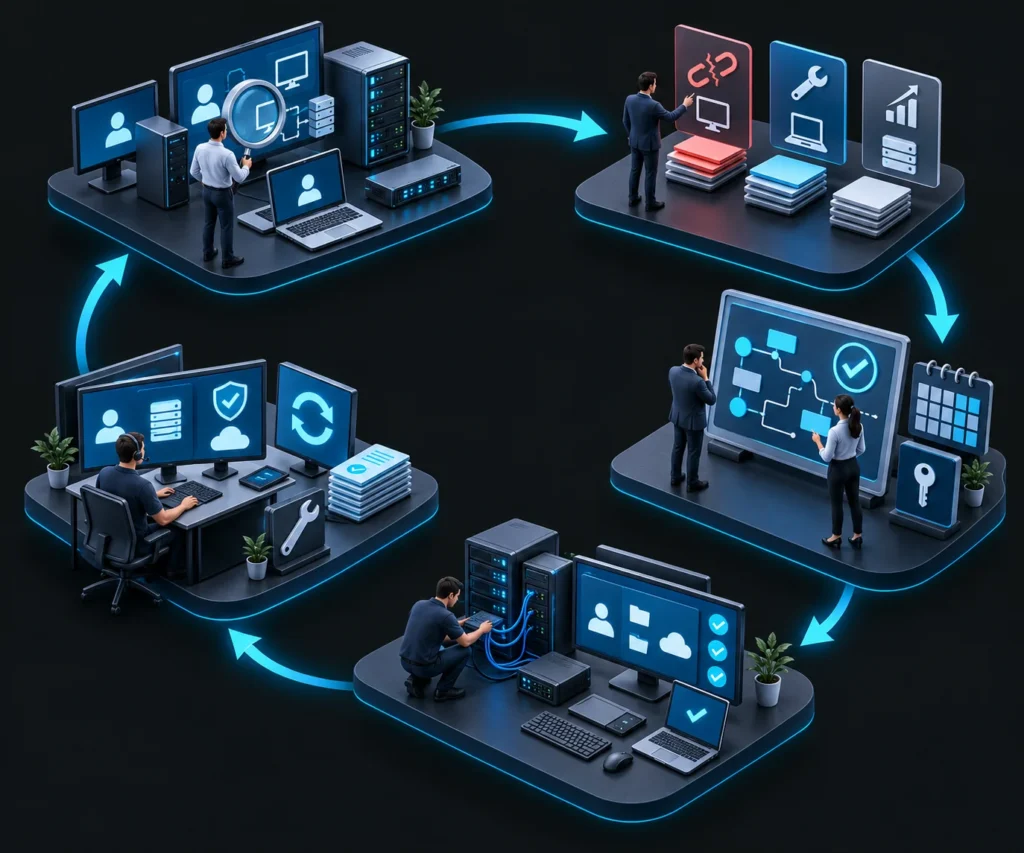
- Review existing technology and business requirements. Establish which users, devices, applications and locations need support. Discuss essential workflows and who currently manages the environment. The review should connect technical information with the work the business needs to complete.
- Identify recurring issues and improvement priorities. Examine reported problems and practical gaps. Separate immediate interruptions from maintenance needs and future projects. Agree which concerns matter most to the business so that effort is directed toward a clear priority.
- Plan suitable support or project work. Define the intended outcome, included services, responsibilities and dependencies. Discuss scheduling, access requirements and how changes will be approved. This helps the business understand what it is commissioning and what information the provider needs.
- Implement agreed solutions and verify operation. Coordinate the work around operational needs. Check representative user tasks after important changes, including relevant access, communication and application workflows. Explain any new procedures to the employees who will use them.
- Provide ongoing assistance and review improvements. Use support records and agreed monitoring to keep issues visible. Revisit recurring problems, maintenance priorities and changing requirements. Review the scope when staffing, applications or locations change so responsibilities remain clear.
What affects the cost of IT Support in New York NY
IT support costs depend on the environment and the work included. A useful quote starts with an accurate description of your users, devices, applications and operating needs. Two businesses with similar headcounts may require different support arrangements.
Compare proposals against the same requirements. Establish which charges recur, which work is separately scoped and how additions are approved. This makes it easier to understand the commitment behind the headline price.
| Cost factor | Why it affects the scope | What to clarify in a proposal |
| Users and devices | More supported resources create additional administration | How users and devices are counted |
| Service hours | Coverage must match operating needs | Included hours and after-hours arrangements |
| Applications and infrastructure | Different systems require different support work | Supported platforms and vendor responsibilities |
| Security and recovery | Tools and testing add specific responsibilities | Included controls, licenses and recovery services |
| Onsite requirements | Physical work involves scheduling and travel | Coverage area, dispatch terms and charges |
| Projects and changes | Migrations or upgrades need defined deliverables | Project fees, testing and support after completion |
A written scope also helps prevent misunderstandings about software subscriptions, replacement equipment and third-party services. Ask how recommendations and additional spending will be presented for approval before work begins.
How to compare IT support providers in New York
The most useful comparison focuses on how each provider would support your actual environment. Give prospective providers the same requirements and request explanations that a business decision-maker can understand.
- Confirm the supported environment. Discuss the applications, devices, locations and working arrangements your employees depend on.
- Clarify response and resolution. An acknowledgment, an initial technical response and a completed fix describe different stages. Ask how priorities and updates are handled.
- Check onsite arrangements. If staff work across Manhattan, Brooklyn, Queens, the Bronx or Staten Island, discuss the actual addresses and physical support needs.
- Understand access and ownership. Agree how administrative access, documentation, accounts and vendor relationships will be managed.
- Request relevant evidence. Ask for applicable experience, references or documented examples that the provider can legitimately share.
- Review reporting and handover. Establish what information you receive during the relationship and how business records and access are handled if arrangements change.
You can learn about TechTrek IT Solutions and its approach before discussing the services and responsibilities your business requires.
Planning support around a New York workday
A local support plan should account for where work happens and when interruptions are most disruptive. A customer-facing office may need changes scheduled outside appointment hours. A distributed team may depend on consistent account access across office and home connections. These details should shape the discussion before coverage is agreed.
For work at business premises, confirm access arrangements with the appropriate contact. A technician may need an appointment, access to a locked equipment area or coordination with building management. During an office move, responsibilities for internet activation and internal network readiness should be assigned separately and checked together.
Also explain which tasks require continuity. If the team depends on incoming calls, shared documents or a browser-based booking system, identify who can authorize a temporary workaround and how employees will receive updates. This makes the support plan easier to use during an actual interruption.
The useful local question is how support will reach your people and systems under the agreed arrangements. Confirm that practical fit alongside the provider’s service description.
A practical first 90 days of improvement
The following planning example illustrates a possible sequence; the actual schedule should reflect the agreed scope and condition of the environment.
During the first month, establish visibility. Confirm the supported systems, responsible contacts and most disruptive recurring issues. Review access and recovery arrangements, then agree which findings require immediate attention and which belong in a planned improvement cycle.
During the second month, address selected priorities. That might involve correcting account access, organizing device information or investigating connectivity. Test important workflows after changes and explain any revised procedures to affected employees.
During the third month, review what the business has learned. Examine repeated requests, unresolved dependencies and upcoming requirements. Use the findings to refine support responsibilities and decide which improvements deserve further investment. A useful roadmap should explain why the next task matters.
How to measure whether IT support is helping
Agree on a starting point before evaluating improvement. Record the recurring issues that matter to the team and the workflows they affect. Without that context, a smaller ticket count could reflect fewer problems or employees giving up on reporting them.
Useful reviews connect service activity with observable results. Has a recurring access problem stopped? Can a new employee complete the required setup? Was selected data successfully restored during a recovery test? Have planned maintenance tasks been completed and documented? Choose measures that reflect the responsibilities in your agreement.
Review unresolved issues as well as completed work. An older application may depend on its software vendor, while a connectivity problem may require coordination with the internet provider. The report should make that dependency visible and identify the next action and its owner.
Discuss the findings with a business contact who can approve priorities. This turns reporting into a practical planning conversation and gives both sides a clear record of decisions. Update the measures when the business changes so that reports continue to reflect the work that matters.
How connected support can improve an everyday workflow
Consider a hypothetical professional services office with fifteen employees. Staff receive inquiries through a website, exchange documents in Microsoft 365 and track follow-up in a shared spreadsheet. Problems arise when a form notification goes unnoticed or employees cannot locate the latest document.
The first step is to map the inquiry journey and identify where information becomes difficult to access. The business might need a form delivery correction, clearer file permissions or an agreed owner for follow-up before considering automation.
Once the underlying process works, a limited integration could route inquiries into the appropriate system and notify the responsible person. Staff would still handle exceptions and decisions requiring judgment.
The business can then evaluate practical outcomes, such as whether inquiries reach the correct destination and employees can complete the workflow consistently. This connects technical work with observable business activity without relying on an assumed performance improvement.
Frequently asked questions about business IT Support in New York NY
What is the difference between IT support and managed IT services
IT support addresses technical assistance and problem resolution. Managed IT services organize agreed support, administration, monitoring and maintenance into an ongoing arrangement. The contract should explain the systems covered and each party’s responsibilities.
Can a small business outsource IT support
A small business can outsource selected tasks or a broader support scope. The appropriate arrangement depends on its systems, working needs and internal capabilities. Start by identifying responsibilities that need coverage and the information a provider would need to take them on.
Can an external provider work with an internal IT team
Yes. An external provider can support an internal team through a defined division of work. Establish who owns user requests, system changes, documentation and escalation. Clear boundaries help both teams coordinate their work and keep business contacts informed.
Should a New York business choose remote or onsite support
The right arrangement depends on the work involved. Many account or software issues can be investigated remotely when authorized access is available. Physical equipment, cabling and premises changes may require onsite work. Confirm availability and charges for each support method.
How much does managed IT support in NYC cost
Pricing depends on supported users and devices, service hours, applications, infrastructure and additional responsibilities. Request a written proposal based on your environment. Compare included services and separately charged work before deciding whether two quotes offer equivalent coverage.
How does IT support relate to compliance
IT support can help implement and maintain appropriate security controls. Compliance depends on the specific requirements and responsibilities applicable to the organization. Ask how the proposed services relate to those requirements and involve the relevant business or professional advisers when needed.
Do we need to replace all our existing technology
A review should establish what remains suitable, what needs maintenance and what may require replacement. Describe the problems before deciding on a purchase. Ask how a proposed change addresses a specific requirement and what dependencies, migration work or employee training it would involve.
What should we prepare before contacting TechTrek
Prepare an approximate user and device count, your main applications, office locations and recurring problems. Identify any urgent issue or planned change. Share an overview through the initial inquiry, then agree an appropriate method for any sensitive technical information required later.
Discuss a support plan for your New York business
Effective business technology support begins with a shared understanding of what your team needs to accomplish. From there, the business and provider can define a manageable scope, address priority issues and establish responsibility for ongoing work.
TechTrek IT Solutions provides services spanning everyday technical assistance, managed IT, Microsoft 365, networking, cybersecurity, web development and AI automation. Your starting point may be a recurring problem, a specific project or a broader review of your technology environment.
Contact TechTrek IT Solutions to describe your requirements and discuss suitable next steps. Include your approximate team size, main concern and preferred contact method so the conversation can focus on the work your business needs.
Phone: +1 (929) 372-4369
Email: support@techtrekitsolutions.com
Website: techtrekitsolutions.com
Serving: New York City, NY